If you spend several hours a day typing, gaming, designing, coding, or working at a computer, an ergonomic wrist rest can help improve comfort and support during long sessions. Your wrists may be doing more work than you realize, and a keyboard and mouse setup that looks comfortable can still put unnecessary pressure on your wrists and hands over time.
An ergonomic wrist rest can help create a more neutral and comfortable wrist position, particularly when your desk setup or keyboard height makes it difficult to keep your hands properly aligned. However, not everyone needs one. The key is recognizing the warning signs that your current setup may not be providing enough support.
In this guide, we’ll explain 7 common warning signs that you may need an ergonomic wrist rest, how wrist rests work, how to choose the right one, and what other ergonomic adjustments can make your workstation more comfortable.
What Is an Ergonomic Wrist Rest?
Ergonomic accessories are becoming increasingly important for people who spend long hours at their desks. If you’re exploring other ergonomic gaming accessories, our Badseed Tech Carpio complete guide is a useful place to start.
The main purpose isn’t to force your wrists into a particular position. Instead, a properly sized wrist rest can help reduce excessive wrist extension and provide support during pauses between typing movements.
Common wrist-rest materials include:
- Memory foam
- Gel
- Silicone
- Rubber
- Fabric-covered foam
- Wood or hard plastic
The best option depends on your keyboard height, hand position, work habits, and personal comfort.
It’s also important to understand that a Ergonomic Wrist Rest isn’t a treatment for an existing medical condition. If you have persistent pain, numbness, tingling, weakness, or loss of grip strength, you should consider speaking with a qualified healthcare professional.
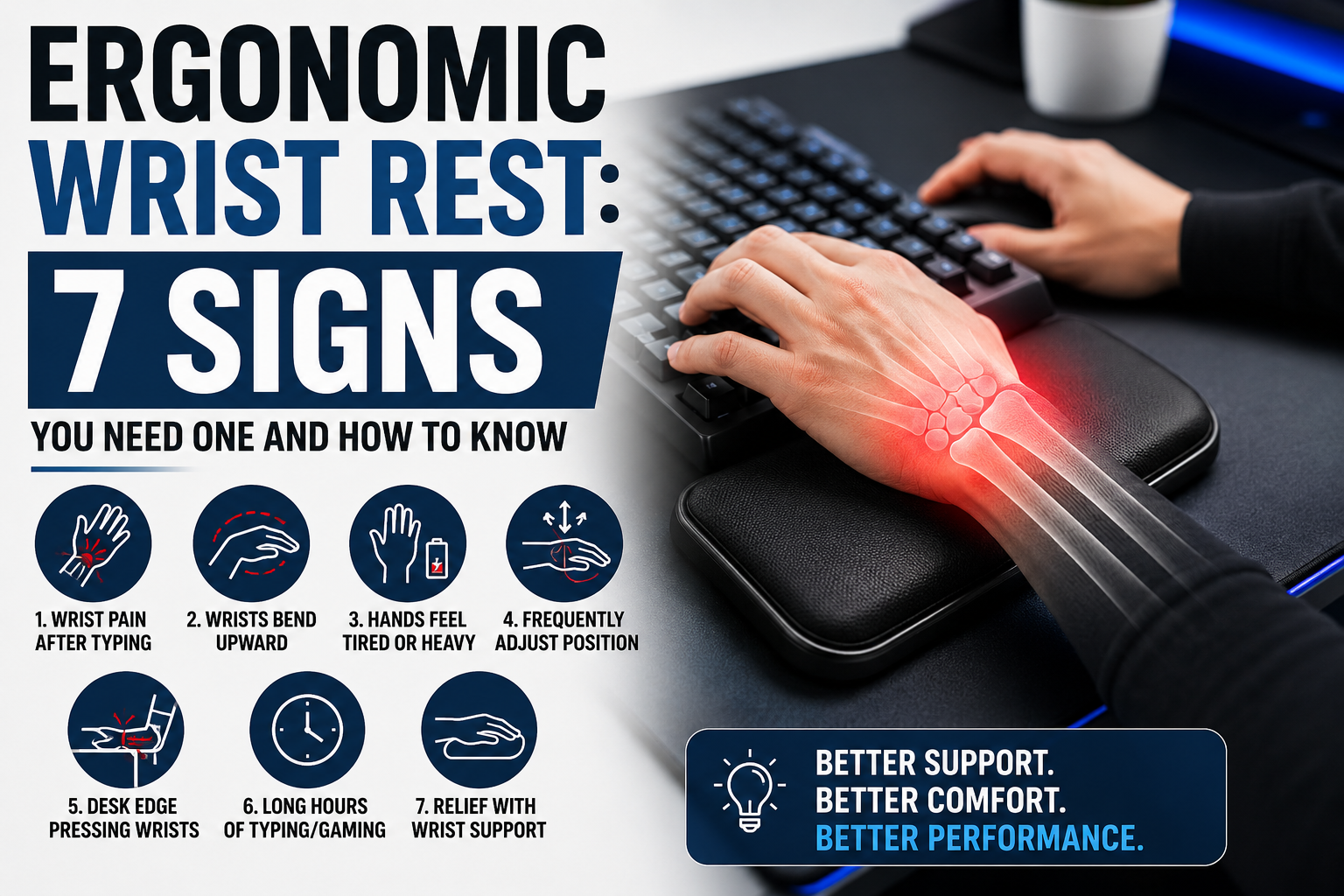
7 Warning Signs You May Need an Ergonomic Wrist Rest
1. Your Wrists Hurt After Long Typing Sessions
One of the most obvious warning signs is wrist discomfort that develops after spending a long time at your computer.
You may notice:
- Aching around the wrist
- Mild soreness
- Stiffness
- A feeling of pressure
- Discomfort when bending your wrist
- Fatigue after typing
Occasional discomfort doesn’t automatically mean that you need a wrist rest. It can also be caused by poor keyboard height, excessive typing, an uncomfortable chair, or insufficient breaks.
However, if discomfort repeatedly appears after long computer sessions, it’s worth examining your workstation.
A wrist rest may help by providing a comfortable resting surface when you’re between typing movements. It can also make it easier to maintain a more neutral wrist position when your keyboard setup otherwise encourages your hands to bend upward.
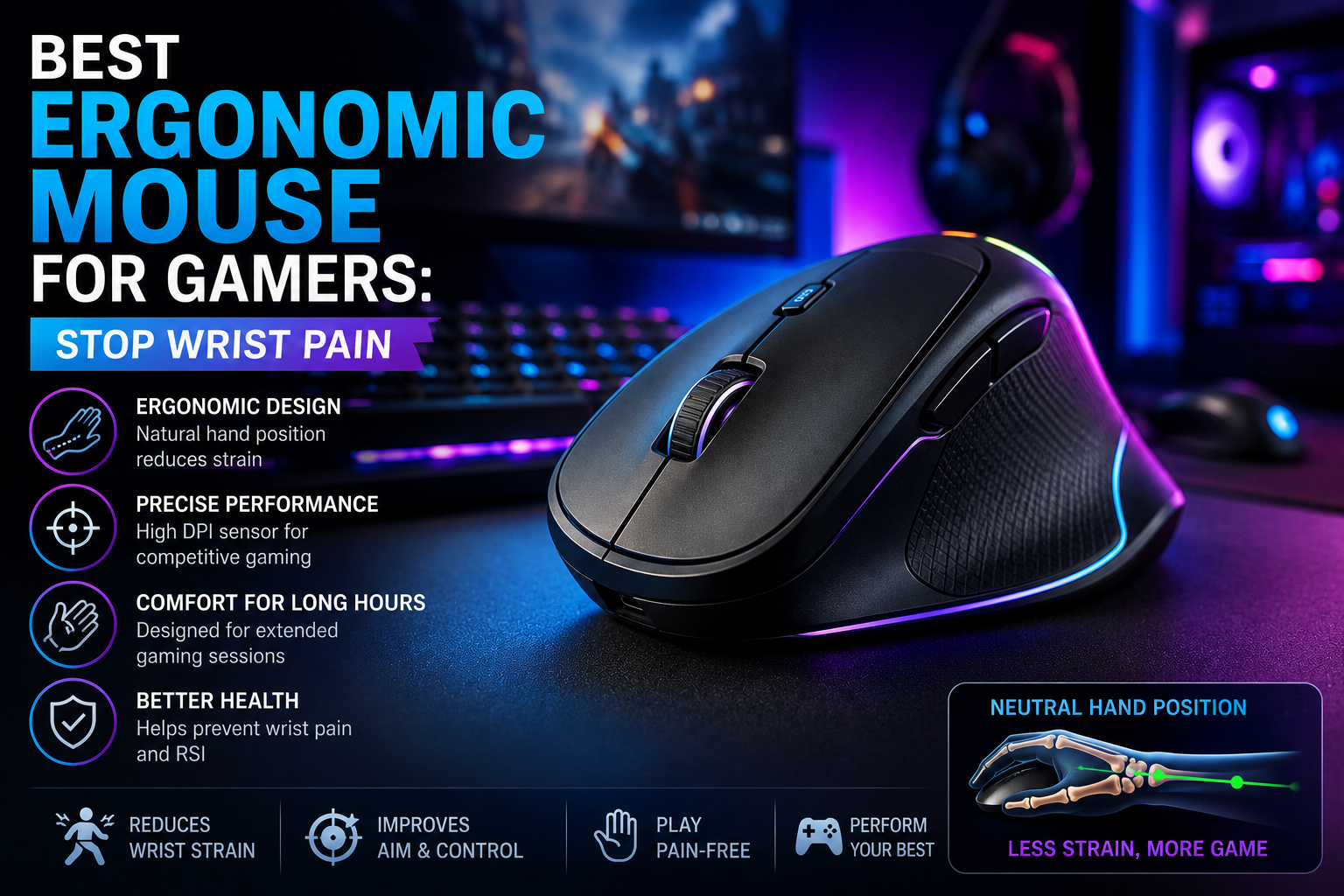
If you’re also interested in improving your overall gaming setup, check out our guide to the Best Ergonomic Mouse for Gamers to understand how mouse design can affect comfort during long gaming sessions.
2. Your Wrists Bend Upward While You Type
Your wrist position is one of the most important parts of ergonomic typing.
Ideally, your wrists should remain relatively straight rather than being sharply bent upward or downward. If your keyboard is significantly higher than your forearms, you may naturally extend your wrists upward to reach the keys.
You can check your position from the side while typing.
If you notice that your hands are angled upward toward the keyboard, your setup may need adjustment.
A Ergonomic Wrist Rest can sometimes help, but there’s an important catch: a wrist rest that’s too high can actually make the problem worse.
Instead of simply buying the thickest Ergonomic Wrist Rest available, look at the overall height of your keyboard and desk. Your chair height, desk height, keyboard thickness, and wrist-rest height should work together.
For some users, lowering the keyboard or changing the keyboard angle may be more effective than adding a wrist rest.
3. Your Hands Feel Tired or Heavy
Not all ergonomic problems cause obvious pain. Sometimes the first sign is simple fatigue.
After working for several hours, you might notice that your:
- Hands feel heavy
- Fingers feel tired
- Wrists feel weak
- Forearms feel tense
- Typing becomes less comfortable
- Grip feels more fatigued than usual
This can happen when your hands and forearms are working continuously without enough support or breaks.
A wrist rest can provide a comfortable place to relax your hands between typing movements. It may also encourage you to avoid hovering your hands unnecessarily for long periods.
However, the wrist rest shouldn’t become something you lean heavily on while actively typing. Your hands should remain free to move naturally across the keyboard.
4. You Frequently Change Your Wrist Position to Get Comfortable
Another useful warning sign is constantly adjusting your wrists while working.
For example, you may:
- Move your hands forward and backward repeatedly
- Rest your palms on the desk
- Lift your wrists off the desk
- Shift your keyboard frequently
- Shake your hands out
- Stretch your wrists every few minutes because they feel uncomfortable
These behaviors can indicate that your current workstation isn’t providing a comfortable working position.
A wrist rest can give your hands a consistent resting point, especially during pauses. It may also prevent the hard edge of a desk from pressing directly against your wrists or forearms.
But again, don’t assume the wrist rest is the only solution. Your keyboard may simply be positioned too far away or too high.
5. The Edge of Your Desk Presses Against Your Wrists
A hard desk edge can become surprisingly uncomfortable during long work sessions.
If your wrists or palms repeatedly press against the edge of your desk, you may experience localized discomfort or pressure.
This is especially common when the keyboard is positioned very close to the front edge of the desk.
An ergonomic wrist rest can create a softer transition between your hands and the desk. It can also help distribute pressure over a larger area instead of concentrating it on a narrow edge.
If you use a wrist rest for this reason, look for one with:
- A smooth surface
- Comfortable padding
- Adequate width
- Stable construction
- A height that matches your keyboard
Avoid extremely hard or sharp-edged products that create another pressure point.
6. You Spend Many Hours Typing or Gaming Every Day
Your risk of developing repetitive discomfort can increase when your hands perform the same movements for extended periods.
People who may benefit from evaluating their wrist support include:
- Software developers
- Writers
- Data-entry workers
- Students
- Graphic designers
- Office professionals
- Customer support workers
- Gamers
- Content creators
If you spend six, eight, or more hours a day using a keyboard and mouse, small ergonomic problems can become much more noticeable over time.
A wrist rest can be one part of a more complete ergonomic setup.
However, simply adding a wrist rest doesn’t compensate for hours of uninterrupted computer use. Regular breaks, appropriate keyboard positioning, good posture, and a comfortable chair are equally important.
7. You Feel Better When Your Wrists Have Gentle Support
Sometimes the simplest test is your own comfort.
If you notice that your wrists feel more relaxed when you place your palms on a soft surface, that’s a reasonable indication that additional support could improve your workstation.
You don’t necessarily need to purchase an expensive ergonomic accessory immediately. You can first evaluate your posture and determine whether a properly positioned wrist rest makes your working position more comfortable.
The goal should be support without pressure.
If a wrist rest makes your wrists feel compressed, forces your hands upward, or causes discomfort, it’s probably not the right height or design for your setup.
Wrist Rest vs. Wrist Support: What’s the Difference?
The terms “wrist rest” and “wrist support” are often used interchangeably, but their intended use can differ.
A wrist rest generally provides a surface for your palms or wrists to rest during pauses in typing.
A wrist support may be designed to provide more continuous support, although the exact design varies by product.
For keyboard use, a good ergonomic approach is generally to avoid putting excessive pressure directly on the wrist while actively typing. Instead, the support should allow your hands and wrists to remain comfortable and relatively neutral.
How to Choose the Right Ergonomic Wrist Rest
Choosing the right accessory often comes down to comfort, design, and how you use your setup. For a detailed look at one popular ergonomic gaming accessory, see our Badseed Tech Carpio full guide before you buy
Match the Height to Your Keyboard
This is one of the most important factors.
A wrist rest should work with the height of your keyboard. A very thick wrist rest paired with a low-profile keyboard can raise your hands unnecessarily.
Likewise, a thin wrist rest may not provide enough support with a tall mechanical keyboard.
Consider the Width
Your wrist rest should ideally be wide enough to support the areas you naturally use when resting your hands.
For a full-size keyboard, choose a rest designed to cover the keyboard’s width. Compact keyboards may require a smaller model.
Choose Comfortable Materials
Memory foam and gel are popular because they provide cushioning.
Memory foam generally offers a softer, conforming feel, while gel can provide a firmer and cooler sensation.
Some people prefer a firmer surface because it provides more stable support. Others prefer softer padding for long work sessions.
There isn’t one material that’s universally best.
Look for a Non-Slip Base
A wrist rest that constantly moves across your desk can become frustrating.
A rubberized or non-slip base can help keep it in place while typing.
Don’t Ignore Your Mouse Hand
If you spend significant time using a mouse, your mouse hand can experience similar ergonomic stress.
A mouse wrist rest can provide support, although the same principle applies: it shouldn’t force your wrist into an awkward angle or interfere with natural mouse movement.
How to Use a Ergonomic Wrist Rest Correctly
Buying a wrist rest is only half the solution. Using it incorrectly can reduce its benefits.
Try to keep your wrists relatively straight and your shoulders relaxed. Your elbows should be positioned comfortably rather than being forced upward or downward.
When typing, avoid putting your entire body weight through your wrists.
Instead, allow your hands to move naturally across the keyboard.
During pauses, you can gently rest the lower part of your palms on the wrist rest.
Your keyboard should also be positioned close enough that you don’t need to reach forward continuously.
Other Ways to Improve Wrist Ergonomics
A wrist rest is only one component of an ergonomic workstation.
Adjust Your Chair
Your feet should be comfortably supported, and your chair should allow you to maintain a relaxed sitting position.
Position Your Keyboard Properly
Keep your keyboard at a height that allows your forearms and hands to remain comfortable. Avoid creating a steep upward angle unless you have a specific reason for doing so.
Keep Your Mouse Close
Reaching too far to the side repeatedly can increase shoulder and forearm tension.
Keep your mouse close enough that your elbow remains near your body.
Take Regular Breaks
Even an excellent ergonomic setup can’t eliminate the effects of uninterrupted repetitive activity.
Stand up, change position, stretch gently, or simply look away from the screen periodically.
Short, frequent breaks can be easier to maintain than waiting until you’re already uncomfortable.
Don’t Ignore Persistent Symptoms
If discomfort continues despite changing your workstation, don’t simply add more ergonomic accessories.
Persistent pain, numbness, tingling, weakness, swelling, or loss of coordination may require professional evaluation.
An ergonomic wrist rest is a workstation accessory, not a medical treatment.
Common Mistakes When Using a Wrist Rest
Using a Ergonomic Wrist Rest That’s Too High
A thick wrist rest can elevate your hands and increase wrist extension.
Always consider the combined height of your keyboard and wrist rest.
Resting Your Wrists Heavily While Typing
The purpose isn’t to lock your wrists onto the cushion.
Your hands should be able to move freely.
Buying Based Only on Softness
A very soft wrist rest may feel comfortable initially but may not provide the stability you prefer.
Comfort, height, stability, and durability all matter.
Ignoring the Rest of Your Workstation
A wrist rest won’t fix a desk that’s too high, a chair that’s poorly adjusted, or a keyboard positioned too far away.
Think about ergonomics as a complete system rather than a single accessory.
When Should You See a Doctor?
A wrist rest can help improve workstation comfort, but certain symptoms shouldn’t be ignored.
Consider seeking medical advice if you experience persistent or worsening:
- Wrist or hand pain
- Numbness
- Tingling
- Weakness
- Loss of grip strength
- Swelling
- Reduced hand coordination
- Pain that interferes with everyday activities
These symptoms can have many possible causes, and an ergonomic accessory alone may not address the underlying problem.
If you’re comparing different ergonomic accessories for your gaming or desk setup, you can also read our detailed Carpio 2.0 vs Carpio G2.0 comparison to see how the two options differ.
Frequently Asked Questions
Do I really need an ergonomic wrist rest?
Not everyone needs one. If your wrists remain comfortable and neutral while working, you may not need additional support. However, people experiencing recurring discomfort, pressure from a desk edge, or difficulty maintaining a comfortable wrist position may benefit from trying one.
Is a Ergonomic Wrist Rest good for carpal tunnel syndrome?
A Ergonomic Wrist Rest isn’t a treatment for carpal tunnel syndrome. Maintaining a neutral wrist position may be helpful for some people, but anyone experiencing persistent numbness, tingling, or pain should consult a healthcare professional rather than relying solely on a wrist rest.
Should my wrists touch the Ergonomic Wrist Rest while typing?
Ideally, a Ergonomic Wrist Rest should provide a comfortable resting surface during pauses rather than forcing your wrists into a fixed position throughout typing. Your hands should be able to move naturally.
Is memory foam or gel better?
Neither is universally better. Memory foam tends to feel softer and more conforming, while gel can offer a firmer and cooler feel. Choose based on comfort, keyboard height, and personal preference.
Can a Ergonomic Wrist Rest prevent wrist pain?
It may help reduce discomfort caused by poor positioning or pressure, but it cannot guarantee prevention of wrist pain. Proper keyboard height, posture, movement breaks, and overall workstation ergonomics are also important.
What is Carpio 2.0 – BadSeed Tech Edition?
Carpio 2.0 – BadSeed Tech Edition is an ergonomic wrist-support accessory designed to improve comfort during long hours of computer use, gaming, and desk work. It is aimed at users who want better wrist positioning and reduced pressure while using a mouse.
Final Thoughts
An ergonomic wrist rest can be a useful addition to your workstation, especially if you spend long hours typing or gaming. The strongest warning signs include recurring wrist discomfort, upward-bent wrists, hand fatigue, constantly changing positions, pressure from the desk edge, extensive daily computer use, and noticeable comfort when your hands have gentle support.
However, a wrist rest shouldn’t be viewed as a magic solution. The best results come from combining appropriate wrist support with a properly positioned keyboard and mouse, a comfortable chair, good posture, and regular movement breaks.
If you’re experiencing persistent pain, numbness, tingling, or weakness, it’s important to get professional medical advice rather than assuming that an ergonomic accessory will solve the problem.
Ultimately, the goal of an ergonomic workstation is simple: your computer setup should allow you to work comfortably without forcing your hands and wrists into stressful positions for hours at a time.