

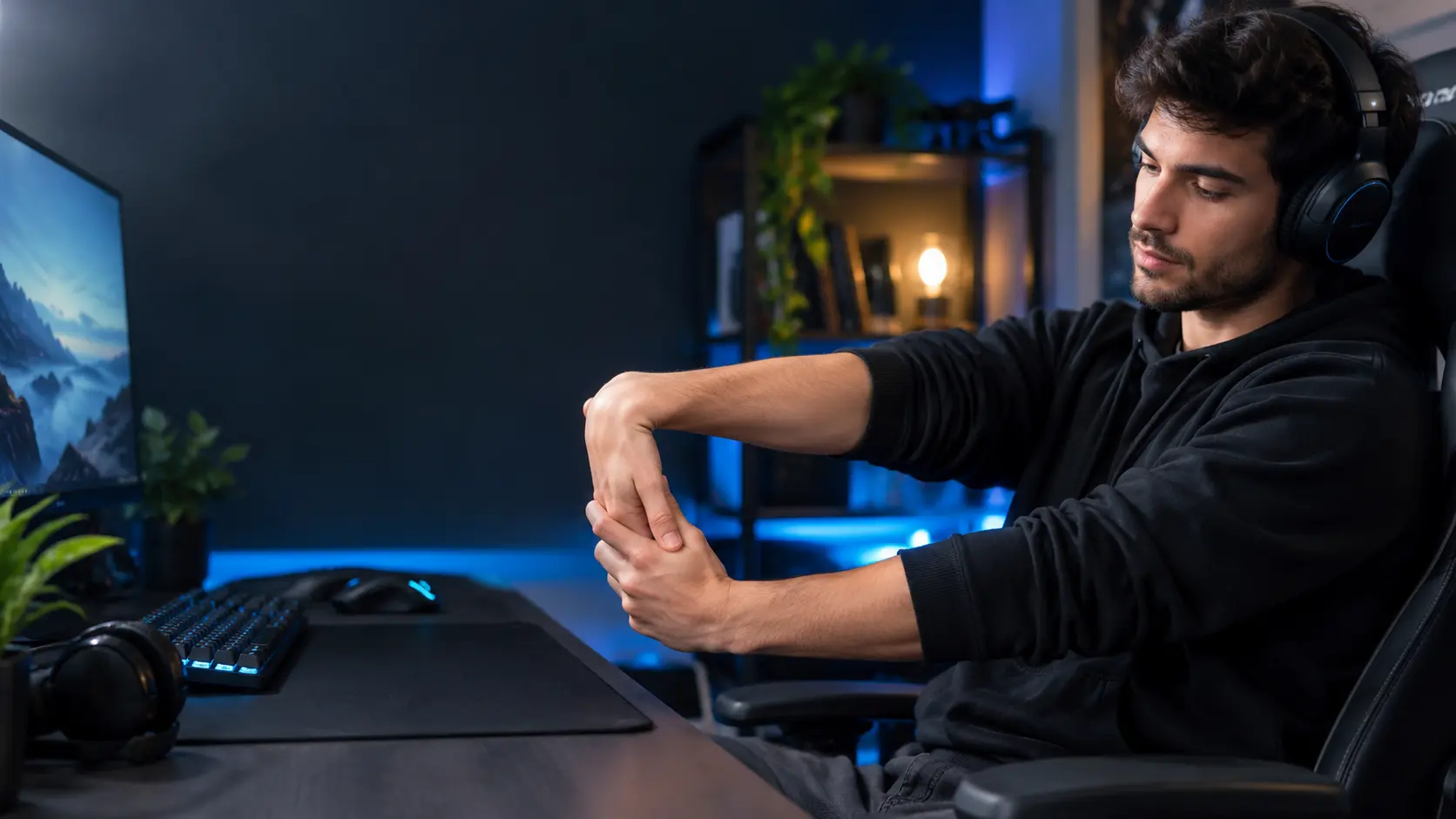
Gaming can put a surprising amount of stress on your hands, wrists, and forearms, especially during long mouse-and-keyboard or controller sessions. Wrist stretches for gamers can help introduce gentle movement, improve wrist mobility, and reduce the stiffness that can build up during repetitive gaming. However, stretching is only one part of good gaming ergonomics.
Regular breaks, a neutral wrist position, proper mouse and keyboard placement, and sensible gaming time are also important for keeping your hands and wrists comfortable.
The problem is usually not gaming itself. It is the combination of repetitive movements, static posture, awkward wrist angles, gripping the mouse too tightly, and not taking enough breaks.
That is why wrist stretches for gamers can be useful.
Gentle stretching and mobility exercises can help you move your wrists and fingers after long periods of repetitive activity. However, stretching should not be treated as a cure for persistent wrist pain. Your gaming setup, mouse position, keyboard height, posture, breaks, and total gaming time matter too.
In this guide, you will learn the best wrist stretches for gamers, how to perform them, when to stretch, how long to hold each position, how to improve your gaming setup, and when wrist symptoms should be professionally evaluated.
Quick answer: The best wrist stretches for gamers include wrist flexor stretches, wrist extensor stretches, prayer stretches, wrist circles, finger mobility exercises, and forearm rotation. For better results, combine them with regular movement breaks and a neutral wrist position.
Why Do Gamers Get Wrist Discomfort?
Gaming often involves repetitive hand and wrist movements.
Think about what happens during a normal FPS session:
- Moving the mouse
- Clicking repeatedly
- Holding the mouse for long periods
- Adjusting aim
- Scrolling
- Pressing keyboard keys
- Keeping the forearm in one position
- Repeating the same movements for hours
Even when each individual movement feels easy, thousands of repeated movements can create fatigue.
Another issue is static positioning.
Your wrist may remain in almost the same position while your fingers and mouse hand continue working.
Poor desk positioning can make the situation worse.
For example, a mouse that is too far away can make you reach forward. A keyboard that is too high can encourage your wrists to bend upward.
OSHA recommends keeping the hands and wrists straight and aligned with the forearms rather than continuously bent up, down, or sideways.
Recent research into esports and gaming-related upper-extremity problems also highlights repetitive loading, warm-ups, ergonomic changes, breaks, and recovery as important considerations.
So the solution is bigger than simply finding one stretch.
Can Wrist stretches for gamers Actually Help?
Yes, gentle stretching and mobility work can be useful, but expectations should be realistic.
Wrist exercises may help you:
- Move your wrist through a comfortable range of motion
- Reduce feelings of stiffness
- Move your fingers and forearms after long gaming sessions
- Prepare your hands for activity
- Build movement into long periods of sitting
- Make breaks more useful
However, stretching does not guarantee that you will prevent an injury.
If you game for six hours with poor wrist positioning, doing two minutes of stretching afterward does not completely cancel out that workload.
A better approach is:
Mobility + breaks + neutral wrist position + ergonomic setup + sensible gaming volume.
10 Best Wrist Stretches for Gamers
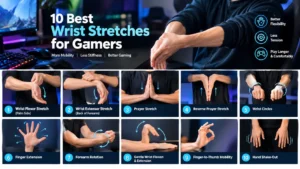
1. Wrist Flexor Stretch
The wrist flexors are located along the palm side of your forearm.
How to do it
- Extend one arm in front of you.
- Turn your palm upward.
- Keep your elbow straight but relaxed.
- Use your opposite hand to gently pull the fingers downward.
- Stop when you feel a mild stretch along the underside of your forearm.
- Hold for around 15–30 seconds.
- Repeat with the other hand.
Do not force the fingers backward.
The goal is gentle tension, not maximum flexibility.
2. Wrist Extensor Stretch
This movement targets the opposite side of the forearm.
How to do it
- Extend your arm forward.
- Turn your palm downward.
- Point your fingers toward the floor.
- Gently pull the fingers toward your body with your opposite hand.
- Hold for around 15–30 seconds.
- Switch sides.
You should feel a mild stretch across the top of the wrist and forearm.
If you feel sharp pain instead of a gentle stretch, stop.
3. Prayer Stretch
The prayer stretch is one of the easiest wrist stretches for gamers because you do not need any equipment.
How to do it
- Put your palms together.
- Keep your fingers pointing upward.
- Place your hands around chest height.
- Slowly lower your hands while keeping your palms together.
- Stop when you feel a comfortable stretch.
- Hold for 15–30 seconds.
You can easily perform this during a short break between matches.
4. Reverse Prayer Stretch
This provides a different wrist position from the traditional prayer stretch.
How to do it
- Bring the backs of your hands together.
- Keep your fingers pointing downward.
- Slowly raise your hands toward your body.
- Stop when you feel mild tension.
- Hold briefly.
- Relax.
This can feel strong if your wrist mobility is limited.
Never force the position.
5. Wrist Circles
Wrist circles are more of a mobility exercise than a deep stretch.
How to do them
- Extend your hands forward.
- Slowly rotate both wrists.
- Make 5–10 circles.
- Change direction.
- Keep the movement controlled.
Avoid fast or aggressive circles.
The goal is smooth movement.
6. Finger Extension Exercise
Gamers often focus on the wrist and forget the fingers.
Your fingers perform repeated movements every time you:
- Click
- Press keys
- Scroll
- Grip a controller
- Adjust your mouse
To perform the exercise:
- Open your hand.
- Spread your fingers gently.
- Hold for a few seconds.
- Relax.
- Repeat several times.
You can also slowly make a loose fist and then open your hand.
Do not squeeze aggressively.
7. Forearm Rotation
Your wrist works together with your forearm, so forearm mobility is worth including.
How to do it
- Bend your elbow to approximately 90 degrees.
- Keep your elbow close to your body.
- Start with your palm facing upward.
- Slowly rotate your forearm until your palm faces downward.
- Return to the starting position.
- Repeat slowly.
Keep the movement comfortable.
8. Gentle Wrist Flexion and Extension
This is a controlled mobility drill.
- Keep your forearm supported.
- Slowly move your hand downward.
- Return to neutral.
- Slowly move your hand upward.
- Return to neutral.
- Repeat several times.
Do not repeatedly move through pain.
If you experience numbness, tingling, or sharp pain, stop.
9. Finger-to-Thumb Mobility
Touch your thumb gently to each finger:
- Index finger
- Middle finger
- Ring finger
- Little finger
Then reverse the sequence.
This gives your fingers a movement break after long periods of keyboard or mouse use.
10. Gentle Hand Shake-Out
Open your hands, relax your fingers, and gently shake your hands for a few seconds.
Then lower your arms and relax your shoulders.
It is not a medical treatment. It is simply an easy movement break that can be added between gaming sessions.
A Simple 5-Minute Routine Best Wrist Stretches for Gamers
If you do not want to remember ten different exercises, use this simple routine.
| Exercise | Suggested time |
|---|---|
| Wrist circles | 30 seconds |
| Wrist flexor stretch | 30 seconds per side |
| Wrist extensor stretch | 30 seconds per side |
| Prayer stretch | 30 seconds |
| Finger mobility | 30 seconds |
| Forearm rotation | 30 seconds |
| Hand shake-out | 30 seconds |
You do not have to perform every movement aggressively.
The purpose is to introduce controlled movement and avoid staying in one position for too long.
Should You Stretch Before or After Gaming?
Both can be useful, but they have different purposes.
Before Gaming
Before gaming, focus on gentle mobility rather than aggressive static stretching.
Try:
- Wrist circles
- Finger opening and closing
- Forearm rotation
- Gentle wrist flexion and extension
A short warm-up can help you transition from inactivity to gaming.
Research involving keyboard-and-mouse esports players has also examined the relationship between warm-up routines and upper-extremity pain.
During Gaming
During a long session, movement breaks are more important than simply stretching harder.
Between matches or during natural pauses:
- Take your hands off the mouse
- Open and close your fingers
- Relax your shoulders
- Stand up
- Walk around
- Change your sitting position
- Move your wrists gently
Short breaks can give muscles and tendons opportunities to recover.
After Gaming
After a long session, gentle stretching can help you move out of a prolonged static position.
Good choices include:
- Wrist flexor stretch
- Wrist extensor stretch
- Prayer stretch
- Finger mobility
- Forearm rotation
How Often Should Gamers Stretch Their Wrists?
There is no universal number that every gamer needs to follow.
The more useful principle is to avoid long periods of uninterrupted repetitive activity.
If you are gaming for several hours, include regular short breaks rather than waiting until your wrist becomes painful.
A simple routine can be:
Before gaming
2–3 minutes of gentle mobility.
During gaming
Regular short movement breaks.
After gaming
3–5 minutes of gentle stretching and mobility.
After several sessions
Check your setup.
Ask yourself:
- Are my wrists bent?
- Is my mouse too far away?
- Are my shoulders tense?
- Is my keyboard too high?
- Am I gripping my mouse too tightly?
- Am I gaming for hours without moving?
These questions can be more useful than simply adding more stretches.
Fix Your Gaming Setup Too
Stretching is only one part of wrist comfort.
Your setup matters.
If your mouse and keyboard constantly force your wrists into awkward positions, stretching alone is unlikely to solve the problem.
Keep Your Wrists Neutral
Try to keep your wrist reasonably aligned with your forearm.
Avoid continuously bending it upward, downward, or sideways.
Keep the Mouse Close
Your mouse should be close enough that you do not need to reach forward.
Your elbow should remain reasonably close to your body.
The complete ergonomic desk setup guide on BadSeed Tech Carpio covers mouse positioning, keyboard placement, chair position, and other workstation factors in more detail.
Check Your Keyboard Height
If your keyboard is too high, your wrists may remain extended upward.
The goal is a comfortable position where your:
- Shoulders are relaxed
- Elbows are comfortable
- Forearms are supported appropriately
- Wrists are reasonably neutral
- Mouse and keyboard are easy to reach
Do Gamers Need a Wrist Rest?
Not necessarily.
A wrist rest is an accessory rather than a medical treatment.
It can improve comfort for some people, but it should not replace fixing an unsuitable desk setup.
The ergonomic wrist rest guide explains why wrist-rest height, keyboard position, comfort, and overall workstation ergonomics all matter.
A wrist rest that is too high can actually change your wrist angle.
So the question is not:
“Which wrist rest is softest?”
A better question is:
“Does this wrist rest work with my keyboard, mouse, desk height, and natural wrist position?”
Carpio 2.0 vs G2.0 for Gamers
If you are considering a gliding wrist rest for gaming, the difference between the two models is worth understanding.
The Carpio 2.0 vs Carpio G2.0 comparison explains that both use the same basic gliding concept, while the G2.0 adds a magnetic strap designed to keep the rest attached during fast movements.
Carpio 2.0
It may make more sense if you:
- Want a simpler setup
- Mostly use controlled mouse movements
- Use your computer for work and gaming
- Do not want a strap around your wrist
Carpio G2.0
It may be more interesting if you:
- Play fast-paced FPS games
- Make large mouse movements
- Frequently lift and reposition your mouse
- Want the wrist rest to stay attached to your hand
The DeltaHub Carpio G2.0 review goes deeper into the gaming-focused design and its removable magnetic strap.
Neither model should be treated as a guaranteed solution for wrist pain.
Wrist Stretches for FPS Gamers
FPS gaming can involve rapid mouse movements, frequent corrections, clicking, and large arm sweeps.
Before playing, try:
- Wrist circles
- Finger extensions
- Forearm rotation
- Gentle wrist flexion and extension
- A few relaxed mouse movements
During gameplay, pay attention to your grip.
You generally do not need to squeeze the mouse as hard as possible.
If you play low-sensitivity FPS games, remember that your forearm and shoulder may also contribute heavily to mouse movement.
That means wrist health should not be viewed in isolation.
For players interested in a gaming-specific wrist-rest option, the Carpio G2.0 gaming wrist rest is specifically designed around fast mouse movement.
Wrist Stretches for Keyboard Gamers
Keyboard-heavy gaming creates a slightly different workload.
Your fingers repeatedly press keys while your wrist may remain in a relatively static position.
Try combining:
- Finger mobility
- Wrist circles
- Wrist flexor stretches
- Wrist extensor stretches
- Forearm rotation
- Regular movement breaks
Also check whether your keyboard forces your wrists upward.
If you want to improve the entire workstation rather than just the keyboard area, the complete ergonomic desk setup guide is a useful next step.
Common Wrist-Stretching Mistakes Gamers Make
Stretching Until It Hurts
A stretch should not become a pain competition.
Mild tension can be normal.
Sharp, burning, or worsening pain is different.
Stop if the movement produces concerning symptoms.
Stretching an Already Painful Wrist Aggressively
If your wrist already hurts, do not automatically assume that more stretching will fix it.
Pain can have different causes.
Ignoring Gaming Time
You can have excellent stretching technique and still overload your wrist if you spend many uninterrupted hours gaming.
Load management matters.
Only Stretching the Wrist
Your wrist is connected to the hand, forearm, elbow, shoulder, and upper body.
Your entire setup matters.
Choosing a Wrist Rest Only Because It Is Soft
Softness does not automatically mean better ergonomics.
Height, stability, movement, and compatibility with your keyboard all matter.
The ergonomic wrist rest guide covers these considerations in more detail.
When Should You Stop Gaming and Get Medical Advice?
Do not automatically assume persistent wrist symptoms are simply “gamer pain.”
Consider seeking professional medical advice if you experience:
- Persistent wrist or hand pain
- Numbness
- Tingling
- Burning sensations
- Weakness
- Reduced grip strength
- Swelling
- Loss of coordination
- Symptoms that continue getting worse
- Pain that interferes with normal daily activities
OSHA identifies symptoms including numbness, burning, reduced grip strength, swelling, stiffness, pain, tingling, cramping, and weakness among possible signs associated with computer-related musculoskeletal disorders.
Your ergonomic wrist rest guide also explains why persistent pain, numbness, tingling, weakness, swelling, and coordination problems should not simply be managed with an ergonomic accessory.
A Simple Gamer Wrist-Care Routine
Here is a routine that is easier to maintain than a complicated exercise program.
Before Gaming
Spend 2–3 minutes on:
- Wrist circles
- Finger opening and closing
- Forearm rotations
- Gentle wrist movements
During Gaming
Take regular movement breaks.
When you pause:
- Remove your hand from the mouse
- Relax your fingers
- Drop your shoulders
- Stand up
- Walk briefly
- Change position
After Gaming
Spend 3–5 minutes on:
- Wrist flexor stretch
- Wrist extensor stretch
- Prayer stretch
- Finger mobility
- Forearm rotation
Check Your Setup
If discomfort keeps returning, look at the workstation rather than simply adding more stretches.
Your desk height, keyboard, mouse, chair, mousepad, and wrist support all work together.
What Is the BadSeed Tech Carpio?
If you are researching wrist comfort specifically because you found the BadSeed Tech Carpio, it is useful to understand what it actually is.
The BadSeed Tech Carpio beginner’s guide explains that it is a creator collaboration based on the DeltaHub Carpio 2.0 design rather than a completely separate wrist-rest technology.
The product uses a gliding approach rather than behaving like a traditional stationary foam pad.
That means the wrist support moves with your hand instead of forcing the wrist to pivot around a fixed support.
However, an ergonomic accessory should complement good habits.
It should not be considered a substitute for movement breaks, proper workstation positioning, or medical care when symptoms persist.
Final Thoughts
The best wrist stretches for gamers are simple.
You can build your routine around:
- Wrist flexor stretches
- Wrist extensor stretches
- Prayer stretches
- Reverse prayer stretches
- Wrist circles
- Finger mobility
- Forearm rotation
- Gentle wrist movements
But stretching should not be your only strategy.
A healthier gaming routine combines movement, breaks, neutral wrist positioning, sensible gaming volume, and a properly adjusted workstation.
If you use a mouse for many hours, your wrist support may also affect your comfort. A traditional fixed wrist rest is not the only option, and a gliding design such as the Carpio 2.0 or gaming-oriented G2.0 may be worth researching depending on how you move your mouse. The Carpio 2.0 vs Carpio G2.0 guide provides a detailed comparison.
Most importantly, do not stretch through significant pain.
If you develop persistent pain, numbness, tingling, weakness, swelling, or reduced grip strength, stop treating the problem as ordinary gaming fatigue and seek appropriate professional advice.
The goal is not to make your wrists “invincible.”
The goal is to build a gaming setup and routine that gives your hands and forearms enough movement, support, and recovery to handle the workload comfortably.
Frequently Asked Questions
What are the best wrist stretches for gamers?
Wrist flexor stretches, wrist extensor stretches, prayer stretches, wrist circles, finger mobility, and forearm rotation are practical options.
How often should gamers stretch their wrists?
There is no single schedule for everyone. Use short mobility sessions before gaming and regular movement breaks during long sessions.
Should I stretch before or after gaming?
Gentle mobility is useful before gaming. After a long session, gentle stretching can help you move out of a prolonged static position.
Can stretching prevent gamer wrist pain?
Stretching alone cannot guarantee injury prevention. It should be combined with proper workstation positioning, regular breaks, neutral wrist posture, and sensible gaming volume.
Should I use a wrist rest while gaming?
A wrist rest is optional. It may improve comfort for some gamers, but it should not replace proper keyboard height, mouse placement, posture, and movement breaks.
What is the best stretch for a gaming mouse hand?
There is no single best stretch. A combination of wrist flexor and extensor stretches, finger mobility, forearm rotation, and regular movement is more useful than relying on one exercise.
How long should I hold a Best Wrist Stretches for Gamers?
Around 15–30 seconds is a practical starting point for a gentle static stretch. Never force the range or continue if the movement causes pain.
