

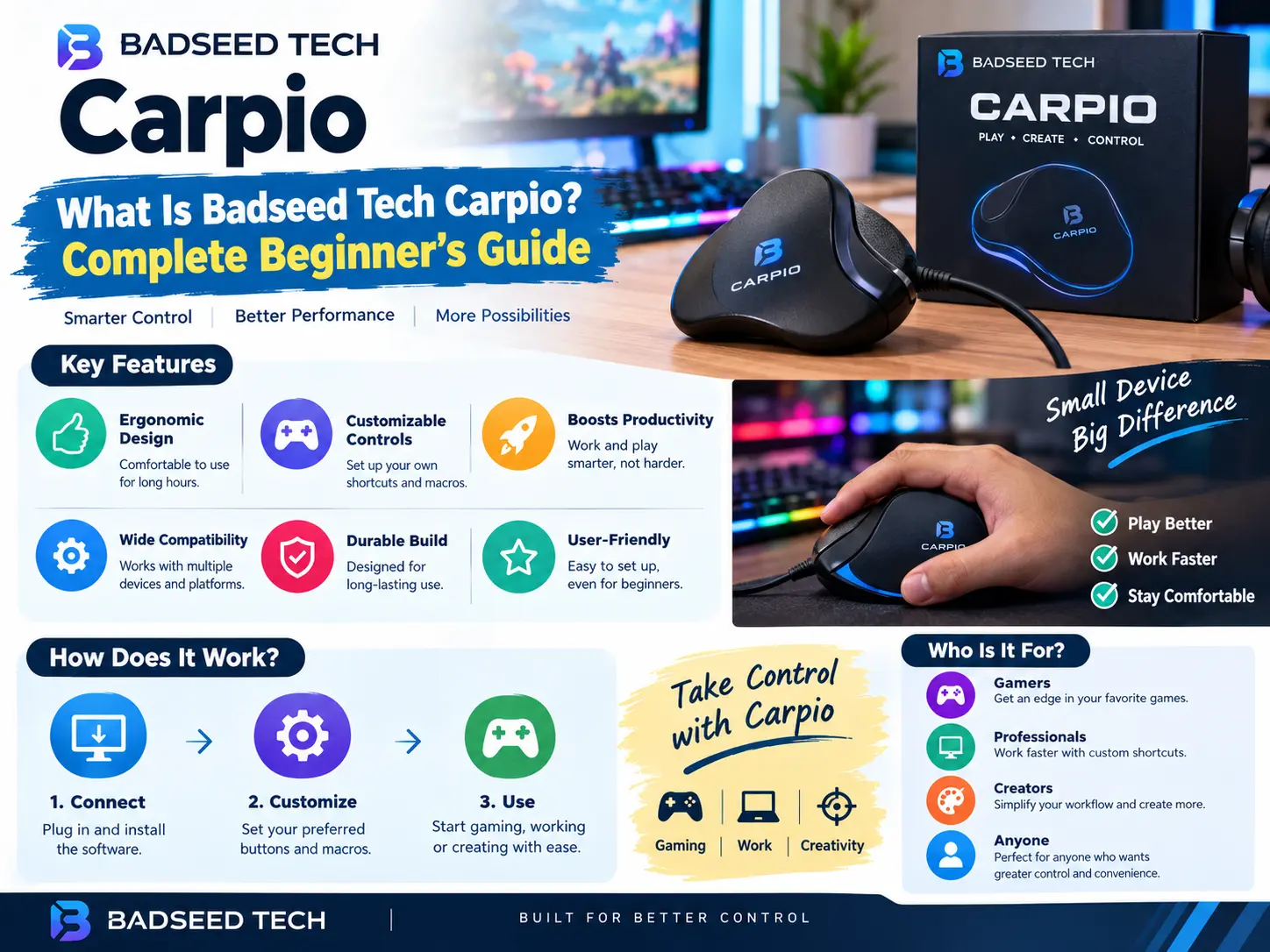
If you have typed Badseed Tech Carpio into a search engine, you have probably landed on a confusing mix of results. Some pages treat it like a gadget review. Others describe it as ‘smart technology’, ‘automation’ or even software. So what is Badseed Tech Carpio, really, and why are so many people searching for it?
Here is the short and accurate answer: the Badseed Tech Carpio is a limited-edition version of the DeltaHub Carpio 2.0, a small ergonomic wrist rest that glides across your desk together with your hand. It was created through a collaboration between DeltaHub, a Slovenia-based ergonomics company, and BadSeed Tech, a YouTube channel that covers PC hardware, peripherals and desk accessories. It is a purely mechanical accessory. There is no battery, no app, no USB cable and no artificial intelligence involved.
This beginner’s guide explains everything in plain language. You will learn what the Badseed Tech Carpio is, who is behind it, how a gliding wrist rest works, what it is made of, how it compares with the standard Carpio 2.0 and the Carpio G2.0, and whether it is worth buying. You will also find a step-by-step setup guide, common mistakes to avoid, a comparison with foam and gel wrist rests, and a detailed FAQ.
A quick note on how this guide was prepared: it is based on publicly available product descriptions, creator announcements and independent reviews published through 2026. Where sources disagree or details may change (price and stock in particular), this guide says so, and you should always confirm the latest information on the official DeltaHub store before you buy.
Quick Answer: What Is Badseed Tech Carpio?
The Badseed Tech Carpio is a special-edition colorway of the Carpio 2.0 wrist rest made by DeltaHub in partnership with the BadSeed Tech YouTube channel. Think of it as the same core product in a darker, gaming-inspired finish with creator branding, rather than a brand-new invention.
Here are the key facts at a glance:
- What it is: a moving, gliding ergonomic wrist rest for mouse use.
- Who makes it: DeltaHub (Slovenia-based), in collaboration with BadSeed Tech, a channel run by Brian Phillips according to several reviews.
- Base product: DeltaHub Carpio 2.0.
- How it works: the rest sits under your palm and slides across your desk or mouse pad with your hand, so your wrist does not have to pivot around a fixed point.
- Materials: an ABS plastic base, PTFE (Teflon-type) gliders and soft silicone contact pads.
- Electronics: none. It is a mechanical accessory with no software or tracking.
- Reported launch details: announced on December 12, 2025 at a launch price of $34.90, in small and large sizes for left- and right-handed users. Prices and availability can change, so check the official store.
- Best for: people who use a mouse for long periods, such as gamers, editors, designers, office workers and programmers.
If that is all you needed, you now have the answer. If you want to understand the product properly before spending money, keep reading.
Clearing Up the Confusion: It Is Not Software, AI or ‘Smart Tech’
One reason the phrase Badseed Tech Carpio is confusing is that several low-quality websites have published vague articles describing it as a ‘technology concept’ built around automation, intelligent systems and data processing. Those descriptions are generic and do not point to any real software, platform or service called Carpio from BadSeed Tech.
The more specific and consistent descriptions, including product-focused reviews and the details around the collaboration announcement, all point to the same thing: a physical wrist rest. When you compare sources, a few signs help you spot reliable information:
- Specific details: Reliable pages mention real materials (ABS, PTFE, silicone), real sizes, real dates and the real manufacturer (DeltaHub). Vague pages talk about ‘digital transformation’ without naming a single feature.
- A named product: The Badseed Tech Carpio is linked to the Carpio 2.0 by name. If an article never mentions DeltaHub or a wrist rest, be careful.
- Consistency across independent sources: Multiple unrelated reviewers describe it as a limited-edition Carpio 2.0 colorway.
This matters for beginners because buying decisions based on vague or incorrect information can waste money. The Badseed Tech Carpio will not automate your workflow or process your data. What it can do is change how your hand and wrist rest while you use a mouse.
Who Is BadSeed Tech?
BadSeed Tech is a YouTube channel focused on PC hardware, gadgets, peripherals and desk accessories. According to product-focused write-ups, the channel is run by Brian Phillips and has a following in the region of 400,000 subscribers, though subscriber counts change constantly, so treat that figure as approximate.
The channel is known for a clean, dark visual style and for testing gaming-friendly products, which explains the look of the collaboration. A creator edition like this usually appeals to two audiences at once: people who already follow the channel and want a product with its branding, and people who simply like the darker styling.
It is worth stating what a creator collaboration is and is not. Creators like BadSeed Tech help shape the look of an edition and promote it to their audience. The engineering behind the product still comes from the manufacturer. That is exactly the case here, and it is an important point for beginners: when you buy the Badseed Tech Carpio, you are buying DeltaHub’s Carpio 2.0 platform with BadSeed Tech’s styling and included pad design.
Who Is DeltaHub?
DeltaHub is a young European company that designs products to make working days more comfortable and productive. According to the company’s own store description, its story began in 2019 when three co-founders joined forces and designed the original Carpio together with a medical doctor, with the goal of building a genuinely ergonomic product with input from physicians. The company says it has served well over 150,000 customers worldwide.
DeltaHub is not a one-product brand, but the Carpio is the product that made it known. It has also worked on creator editions with other well-known tech personalities, which is why you may see the Carpio in several different colorways and branded versions. Independent reviewers note that these editions share the same core mechanism and materials and differ mainly in color and branding.
Understanding the manufacturer helps in two ways. First, it tells you where to look for warranty, support and genuine stock. Second, it shows that the Badseed Tech Carpio is part of an established product line with a track record, rather than an anonymous one-off accessory.
What Is the Carpio 2.0?
To understand the Badseed Tech Carpio, you need to understand the Carpio 2.0. The DeltaHub Carpio is a compact wrist rest designed specifically for mouse users. Unlike a traditional wrist rest that sits still on your desk, the Carpio is small, slides on low-friction gliders and moves along with your hand.
The original idea behind the Carpio is simple. When you use a mouse with your wrist planted on a fixed pad, your hand moves while the support point stays still. Over long sessions, this can mean your wrist is bending or twisting around that fixed point instead of your forearm doing the moving. A moving rest tries to remove that pivot, so your wrist stays closer to a straight, neutral position while your whole arm glides.
The 2.0 version refined the original with an updated design and materials. In the current range, you will usually see:
- Carpio 2.0: the standard version, intended for everyday work and general use.
- Carpio G2.0: a version that, according to reviewers, adds a strap to keep the rest more securely connected to your hand, aimed at gamers who make fast, precise movements.
- Creator editions: colorways and branded versions, including the one made with BadSeed Tech.
How a Gliding Wrist Rest Works
If you have never used a gliding wrist rest, the concept can feel strange at first. Here is how it works, step by step, without any jargon.
The problem with a fixed wrist rest
A classic foam or gel wrist rest is a cushion that stays where you put it. It is designed to raise your hand slightly so your wrist is not bent upward. That is helpful for typing, where your hands stay roughly in one place. Mouse use is different. Your hand travels across the desk, and if your wrist is anchored to a fixed cushion, one of two things tends to happen: you lift your wrist off the cushion (so it provides no support) or you pivot your hand around the cushion (which can create bending and twisting at the wrist).
The gliding solution
The Carpio sits under the heel of your palm, near the base of your hand. Its underside has PTFE gliders, the same type of slippery material used in non-stick cookware and many mouse feet. When you move your mouse, the rest slides with your hand. The idea is that your forearm and elbow do more of the work, while your wrist stays supported and relatively straight.
What ‘lifting by a few millimeters’ means
Reviewers describe the Carpio as lifting your palm by just a few millimeters. That is intentional. It is not meant to prop your hand high in the air. It is meant to take the weight of the heel of your hand, reduce friction against the desk surface and keep your hand in a more natural position. Because the lift is so small, it generally works with a range of mice, although the right size and position matter, which we cover in the setup guide below.
Why a smooth surface matters
Gliders need a suitable surface. Most users get the best results on a cloth or hard mouse pad or a smooth desk mat. Very rough, sticky or heavily textured surfaces create drag and defeat the purpose. If your current surface is rough, you may need to change it before the Carpio feels natural.
What it does not do
It is important to be realistic. A wrist rest is a support accessory, not a medical device. It does not track your mouse, it does not use sensors and it cannot cure or treat any condition. Some pages claim that a product like this will ‘cure’ carpal tunnel syndrome. That is not a responsible claim. If you have pain, numbness or tingling in your hand or wrist, speak to a doctor or physiotherapist. An accessory may make your setup more comfortable, but it is not a substitute for professional advice.
Design, Materials and Build Quality
The Badseed Tech Carpio follows the same basic construction as the standard Carpio 2.0. Here is a closer look at what it is made of and why each part matters.
ABS plastic base
The frame is made of ABS, a durable and lightweight plastic commonly used in electronics casings and keyboard parts. ABS keeps the Carpio rigid so it does not flex or collapse under the weight of your hand. Some reviewers contrast this with foam and gel rests, which compress and change shape over time.
PTFE gliders
PTFE, often known by the brand name Teflon, is a very low-friction material. On the Carpio it forms the contact points with your mouse pad or desk. The result is a smooth, quiet slide with very little resistance. Independent reviewers consistently highlight how smoothly the rest travels as one of its best features.
Silicone contact pads
On top, soft silicone pads touch your skin. Silicone is comfortable, easy to wipe clean and does not absorb sweat the way fabric covers can. The BadSeed Tech edition is described as coming with exclusive BadSeed Tech pads, which changes the look of the contact surface while keeping the same basic function.
Dark, gaming-inspired styling
The visible difference in this edition is the finish. The black and dark tones are designed to match gaming and creator setups where black keyboards, dark desk mats and RGB accents are common. If you prefer a neutral or brighter look, the standard Carpio colorways may suit you better.
Size and weight
The Carpio is small. It is designed to sit under the heel of your hand rather than support your whole forearm. That compact form is part of why it moves so freely, but it also means you must choose the correct size for your hand and mouse grip.
Sizes, Left and Right Versions and Price
Sizes
According to one detailed review, the BadSeed Tech edition is offered in two sizes: a small version measuring roughly 8.4 × 3.6 cm and a large version measuring roughly 9.6 × 4.0 cm. Because dimensions can vary slightly between batches and listings, check the official product page before ordering.
A simple rule of thumb many users follow is to choose the smaller size if you have smaller hands or use a very low-profile mouse, and the larger size if you have bigger hands, a palm grip or a taller mouse. DeltaHub usually offers sizing guidance on its store, which is the safest reference.
Left and right versions
The Carpio is shaped for either the left hand or the right hand. Make sure you select the version that matches the hand you use for your mouse. Ordering the wrong side is one of the most common beginner mistakes.
Price
Reports at the time of the collaboration announcement on December 12, 2025 gave a launch price of $34.90. Treat this as a historical reference point only. Limited editions can sell out, restock or change price, and resellers may charge more. For the current price, check DeltaHub’s official store or a verified retailer.
Badseed Tech Carpio vs Standard Carpio 2.0 vs Carpio G2.0
One of the most common questions from beginners is whether the Badseed Tech edition performs differently from the standard version. Based on independent reviews, it does not. The gliding mechanism, ABS shell, PTFE gliders and silicone pads are described as the same. The difference is styling and the included BadSeed Tech pads.
| Feature | Badseed Tech Carpio | Standard Carpio 2.0 | Carpio G2.0 |
|---|---|---|---|
| Base platform | Carpio 2.0 | Carpio 2.0 | Carpio 2.0 family, gaming-oriented |
| Core mechanism | Gliding PTFE base | Gliding PTFE base | Gliding PTFE base |
| Strap | No | No | Yes, according to reviews |
| Creator branding | BadSeed Tech | None | None |
| Look | Dark, gaming-inspired | Standard colorways | Gaming-focused |
| Best suited to | Fans of the channel, dark desk setups, general use | Everyday work and general use | Fast, precise gaming movements |
Which one should a beginner pick?
If you like the BadSeed Tech styling and the edition is in stock at a fair price, there is no performance reason to avoid it. If you do not care about branding, the standard Carpio 2.0 gives you the same idea, often with more colour and availability options. If you play fast-paced shooters or other games where you flick the mouse constantly, the Carpio G2.0 with its strap may feel more secure.
Benefits of the Badseed Tech Carpio
Here are the main advantages people mention, along with some context so you can judge whether they matter to you.
1. It moves with your hand
This is the headline feature. Instead of fighting a fixed cushion, your hand travels naturally across the desk. For people who find fixed wrist rests uncomfortable during mouse use, this can be a noticeable improvement.
2. It encourages a more neutral wrist position
By lifting the heel of your hand a few millimeters and letting it glide, the Carpio helps many users keep the wrist straighter. A neutral position is generally considered more comfortable over long sessions than a bent or twisted one.
3. Compact and desk-friendly
Because it is small, it does not take over your desk. It works with compact setups, laptops on stands and minimalist desks where a large gel pad would feel bulky.
4. Durable, easy-to-clean materials
ABS, PTFE and silicone are all easy to wipe down and are not prone to the squashing or flaking that foam can suffer from over time.
5. Distinctive styling
If you care about how your desk looks, the dark finish and creator branding give it a more intentional, designed appearance than a generic pad.
6. No setup or software
There is nothing to install, pair or charge. You place it under your hand and start using it. That simplicity appeals to beginners and to people who are tired of accessories that need apps.
7. A recognised, established platform
Because the Badseed Tech Carpio is built on the existing Carpio 2.0, you can read many independent reviews of the base product. That makes it easier to research than an unknown, brand-new gadget.
Limitations and Honest Drawbacks
A trustworthy guide should cover the downsides too. Here are the things to think about before you buy.
It takes time to get used to
Most people need a few days to adjust. The first hours can feel odd because your hand is supported differently. Some users give up too soon; others find that the adjustment period is short. Give it a fair trial if your return policy allows.
It is not a cure for pain
As mentioned earlier, the Carpio is an ergonomic accessory. It can help comfort and posture, but it cannot guarantee relief from pain or treat medical conditions. Break habits and overall setup matter just as much as any single product.
Surface compatibility
It performs best on smooth, clean surfaces. On rough or sticky surfaces, the glide will be poor.
Keyboard and mouse height
Because it lifts your palm slightly, the Carpio works best when your mouse height and keyboard height suit it. If you use a very tall mechanical keyboard, you may need to think about the overall height relationship between your keyboard and your mouse area.
Limited edition availability and price
Creator editions can sell out or be marked up by resellers. If the BadSeed Tech edition is unavailable, the standard Carpio 2.0 is functionally the same.
Not ideal for every grip
If your grip style is very different, for example a fingertip grip with minimal palm contact, a small wrist rest may offer less benefit than it does to palm-grip users.
Who Should Buy It (and Who Should Skip It)
Good fit
- Gamers who spend long sessions with a mouse and like a dark aesthetic.
- Video editors, designers and photographers who do precise mouse work for hours.
- Office workers and programmers who split time between keyboard and mouse.
- People who found fixed wrist rests uncomfortable because their hand kept sliding off or pivoting.
- Fans of the BadSeed Tech channel who want a branded desk accessory.
Probably not a good fit
- People who mostly type and rarely use a mouse. A fixed keyboard wrist rest or simply good posture may serve you better.
- Anyone expecting a medical treatment. If you have persistent symptoms, see a healthcare professional.
- Users with rough desk surfaces who are unwilling to change their mouse pad.
- People on a very tight budget who are happy with their current setup.
Why Wrist Posture Matters
Before choosing any accessory, it helps to understand the problem it is trying to solve. This section is general information, not medical advice.
When you use a mouse for hours, small repeated movements add up. Your wrist can end up bent upward (extension), bent to the side (deviation) or pressed against a hard desk edge. Many ergonomics guides recommend keeping the wrist as straight as is comfortable, keeping the elbow around a relaxed right angle and moving the mouse mostly with the forearm and elbow rather than flicking the wrist.
A product like the Badseed Tech Carpio targets one specific part of that picture: the contact point between the heel of your hand and the desk. If that contact point is sticky, fixed or too high, your wrist compensates. If it glides and supports lightly, your arm can move more freely.
But no accessory fixes everything. Other factors matter just as much:
- Chair and desk height: Your forearms should be roughly level with the desk, with shoulders relaxed.
- Mouse size and shape: A mouse that is too small or too large for your hand forces awkward grips.
- Breaks and movement: Short breaks to stretch and change position are widely recommended for people who work at a computer all day.
- Sensitivity settings: A lower mouse sensitivity encourages arm movement, while very high sensitivity encourages tiny wrist flicks.
If you already feel persistent pain, numbness, tingling or weakness in your hand or wrist, please see a qualified healthcare professional. A wrist rest is a comfort tool, and it should never delay proper diagnosis.
Beginner Setup Guide: How to Use the Badseed Tech Carpio
This is a practical walkthrough for first-time users. Take your time with each step, because correct placement is what separates a good experience from a frustrating one.
Step 1: Choose the right hand version and size
Check whether you use your mouse with your left or right hand and order the matching version. Then choose between small and large using the official sizing guidance. If you are between sizes, think about your grip: palm grip users often prefer more surface, while claw grip users often prefer a smaller footprint.
Step 2: Prepare a smooth surface
Wipe your mouse pad or desk mat to remove dust and crumbs. A clean, smooth surface lets the PTFE gliders do their job. If your desk is textured wood or has a rough finish, use a mouse pad or desk mat under the whole area your hand will travel across.
Step 3: Place the Carpio under the heel of your palm
Position it near the base of your hand, not under your fingers and not under the middle of your forearm. The goal is to support the heel of the palm. Rest your hand naturally on the mouse and let the Carpio sit beneath it.
Step 4: Check your wrist angle
Your wrist should look relatively straight from the side. If it is bent upward sharply, the setup may be too high or the mouse too tall. If it is drooping downward, you may be sitting too low or your mouse may be too low-profile.
Step 5: Move from the arm, not the wrist
The whole point of a moving rest is to encourage your forearm and elbow to move the mouse. Try making larger, smoother movements. At first it may feel strange, but your arm will adapt.
Step 6: Adjust mouse sensitivity if needed
If you find yourself running out of space, increase sensitivity slightly. If your movements feel twitchy, lower it. Many gamers also tune their in-game sensitivity so that they can use bigger arm movements for aiming.
Step 7: Give it a fair trial
Use it for at least a week before deciding. During the first days, take short breaks and notice how your hand and wrist feel. If something clearly hurts, stop and reassess your setup or speak to a professional.
Common Mistakes Beginners Make
Most complaints about gliding wrist rests come from a handful of avoidable errors. Check this list before you decide the product is not for you.
- Buying the wrong side: The Carpio is handed. A right-handed version will not feel right in a left hand.
- Choosing the wrong size: A rest that is too small may not support the heel of your hand; one that is too large may feel clumsy.
- Using it on a sticky or rough surface: Poor glide makes the rest feel like it is fighting you.
- Placing it too far forward: If the rest is under your fingers or the middle of your hand, you lose the ergonomic benefit.
- Still flicking the wrist: If you keep moving only your wrist, a gliding rest cannot fix the movement pattern. Practise using your forearm.
- Ignoring the rest of the desk setup: Chair height, desk height and monitor position still matter.
- Expecting instant results: Adaptation takes time, and the benefit is about comfort over long sessions, not an instant transformation.
- Treating it as medical treatment: It is an accessory, not therapy.
Care and Maintenance
One of the quiet advantages of ABS, PTFE and silicone is that they are easy to look after.
- Clean the silicone pads with a soft, slightly damp cloth. Mild soap is fine if needed. Avoid harsh solvents that could damage the surface.
- Keep the gliders clean: Dust and grit under the base can scratch your mouse pad and slow the glide. Wipe the underside regularly.
- Clean your mouse pad: A dirty pad is the most common cause of sticky movement.
- Store it away from heat: Leaving plastic accessories on a hot windowsill or near a heater is never a good idea.
- Inspect it occasionally: If you notice cracks, worn gliders or loose parts, contact the seller or DeltaHub about support.
Because there are no electronics, there is nothing to update, charge or reset. That low-maintenance nature is part of the appeal.
Comparison With Foam, Gel and Fixed Wrist Rests
How does a gliding wrist rest compare with the options most people already know? The table below summarises the main differences. Treat it as a general guide, since individual comfort varies.
| Feature | Badseed Tech Carpio | Foam wrist rest | Gel wrist rest | Fixed hard wrist rest |
|---|---|---|---|---|
| Moves with your hand | Yes | No | No | No |
| Best for | Mouse use | Typing | Typing and light mouse use | Typing |
| Material | ABS, PTFE, silicone | Memory foam | Gel in a fabric or plastic cover | Wood, plastic or acrylic |
| Durability | High | Can flatten over time | Can leak or wear | High |
| Cleaning | Wipe-clean | Fabric can hold dirt and sweat | Moderate | Easy |
| Desk footprint | Small | Medium to large | Medium to large | Medium to large |
| Learning curve | Moderate | Low | Low | Low |
| Typical cost | Usually higher than basic pads | Low | Low to medium | Medium |
The main takeaway is that the two product types solve different problems. Fixed rests support the wrist while your hands stay mostly still, which suits typing. A moving rest like the Carpio 2.0 is aimed at the constant motion of mouse use. Some people use both: a fixed pad for the keyboard and a Carpio for the mouse.
Is Badseed Tech Carpio Worth It? A Buyer’s Checklist
Whether the Badseed Tech Carpio is worth it depends on you. Use the checklist below to decide.
It is probably worth it if:
- You use a mouse for several hours every day.
- Fixed wrist rests have never felt comfortable for mouse work.
- You have, or can get, a smooth mouse pad or desk mat.
- You like the dark BadSeed Tech styling or follow the channel.
- You are comfortable spending a modest amount on a desk accessory and giving it time to work.
You may want to wait or choose another option if:
- You rarely use a mouse.
- You are hoping it will treat a medical condition.
- The limited edition is only available at a heavy resale markup. In that case, the standard Carpio 2.0 gives you the same mechanism.
- You need a strap-secured fit for fast-paced gaming. Consider the Carpio G2.0 instead.
A simple decision rule: if the idea of a wrist rest that glides with your hand sounds appealing, the price is fair at the time you buy and you like the look, the Badseed Tech Carpio is a reasonable, low-risk way to try the concept. If any of those three conditions is missing, look at the standard Carpio 2.0 or another option first.
Where to Buy and How to Avoid Misleading Information
Buy from official or verified sellers
The safest sources are DeltaHub’s own store and verified marketplace sellers. Marketplace listings sometimes show the DeltaHub store as the seller, which helps with warranty and returns. Be cautious with unknown sellers offering the limited edition at unusually high or unusually low prices.
Check the return policy
Because adjusting to a gliding rest takes a few days, a clear return policy is valuable. Read the terms before buying.
Confirm the details yourself
Sizes, colours, included pads, prices and stock can change. If a listing and this guide disagree, trust the official listing.
Be careful with online content about this keyword
As explained earlier, some pages describe the Badseed Tech Carpio as an AI or automation concept. That description is generic and not supported by product details. Look for articles that name DeltaHub, the Carpio 2.0 and concrete specifications, and prefer reviewers who explain how they tested the product.
Frequently Asked Questions
What is Badseed Tech Carpio?
It is a limited-edition colorway of DeltaHub’s Carpio 2.0 gliding wrist rest, created in collaboration with the BadSeed Tech YouTube channel. It is a mechanical ergonomic accessory for mouse users.
Is Badseed Tech Carpio software or an AI tool?
No. It has no electronics, no app and no software. Articles describing it as automation or intelligent technology are not describing a real software product.
Who makes the Badseed Tech Carpio?
DeltaHub, a Slovenia-based ergonomics company, makes it in collaboration with BadSeed Tech.
Is the Badseed Tech Carpio different from the standard Carpio 2.0?
According to independent reviews, the mechanism, materials and ergonomic approach are the same. The differences are the dark colourway, BadSeed Tech branding and included pad design.
What is the difference between Carpio 2.0 and Carpio G2.0?
The Carpio 2.0 is the standard version. The Carpio G2.0 is reported to add a strap for a more secure connection to your hand, aimed at gamers who need less movement between the rest and their hand.
How does a gliding wrist rest work?
It sits under the heel of your palm and slides on low-friction PTFE gliders, so it moves with your hand across the desk. This helps your wrist stay closer to a neutral position while your arm does the moving.
What is the Carpio made of?
An ABS plastic base, PTFE gliders and soft silicone contact pads.
How much does the Badseed Tech Carpio cost?
A launch price of $34.90 was reported when the edition was announced on December 12, 2025. Current prices vary by seller and region, so check the official store.
Will it cure carpal tunnel syndrome?
No. It is an ergonomic accessory and cannot treat or cure medical conditions. If you have symptoms such as numbness, tingling or persistent pain, consult a healthcare professional.
Does it work with a tall mechanical keyboard?
It can, but the height relationship between your keyboard, mouse and desk matters. Make sure your wrist stays relatively straight, and adjust your setup if it does not.
Is the Carpio good for gaming?
Many gamers use it for long sessions, and the dark edition is styled for gaming setups. For fast, flick-heavy play, some users may prefer the strap-equipped Carpio G2.0.
Does it work on any desk surface?
It works best on smooth, clean mouse pads or desk mats. Rough or sticky surfaces reduce glide.
How long does it take to get used to?
Most people need several days. Give it at least a week before making a decision.
Is the Badseed Tech Carpio worth it in 2026?
It can be worth it if you use a mouse for long periods, like the styling and can buy at a fair price. If not, the standard Carpio 2.0 offers the same core design.
Conclusion
So, what is Badseed Tech Carpio? It is a limited-edition, dark-styled version of DeltaHub’s Carpio 2.0, a small ergonomic wrist rest that glides with your hand, made in collaboration with the BadSeed Tech YouTube channel. It is not software, not artificial intelligence and not a new category of technology. It is a thoughtfully designed desk accessory with a clear job: to give the heel of your hand light support while letting your arm move freely.
For beginners, the key points are simple. Pick the correct size and hand. Use it on a smooth surface. Place it under the heel of your palm. Move from your forearm rather than your wrist. Give yourself a week to adapt. And remember that no accessory replaces good posture, regular breaks and professional advice if you have symptoms.
If you spend most of your day with a mouse in your hand, the Badseed Tech Carpio is a reasonable and low-complexity way to try a different approach to wrist support. If the limited edition is unavailable or overpriced, the standard Carpio 2.0 and the Carpio G2.0 offer the same idea with different styling and fit.
