

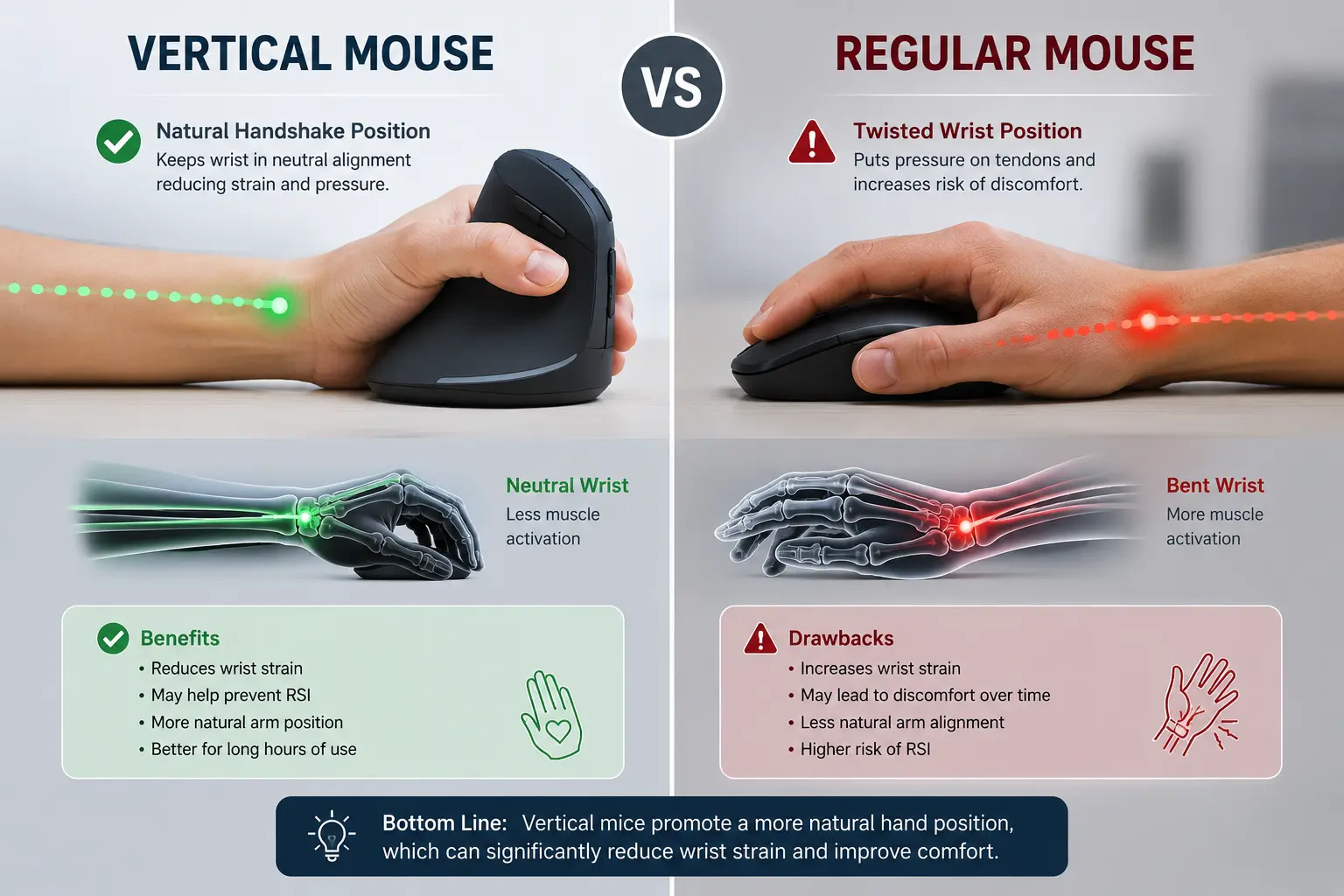
Every vertical mouse product page makes the same promise: switch to a “handshake” grip, eliminate wrist strain, prevent carpal tunnel syndrome. It’s a clean pitch, and it’s partly true — but only partly. The actual research on vertical mice tells a more complicated story, one where the marketing claim and the clinical data don’t fully agree with each other.
If you’re deciding whether to switch, the honest answer depends on exactly what kind of strain you’re dealing with. Here’s what the studies actually measured, not just what the box says — the same evidence-first approach we took in our BadSeed Tech Carpio full guide when separating real wrist-support science from marketing claims.
The Mechanism: What “Pronation” Actually Means
Start with the basic problem a vertical mouse is trying to solve. When you use a standard flat mouse, your forearm rotates so your palm faces straight down — a position called pronation. To hold that rotation for hours at a time, your forearm muscles and tendons stay under sustained tension, and the two bones in your forearm (the radius and ulna) stay crossed over each other the entire time.
A vertical mouse rotates your hand roughly 90 degrees into a sideways “handshake” grip, which is closer to your forearm’s natural resting position. That’s the entire pitch, and biomechanically, it’s a real effect — not just marketing language.
What The Research Actually Measured
A controlled study published in the journal Ergonomics put this to the test directly, using electromyography (muscle activity sensors) and electrogoniometers (joint angle sensors) on 16 participants using both mouse types. The results were specific: forearm pronation dropped from 42 degrees with a standard mouse to 28 degrees with a vertical one, and activity in the wrist extensor muscles fell from 16% to 13% in one muscle group and from 13% to 10% in another.
Those are real, measurable reductions. If your discomfort comes from general forearm fatigue, tightness, or an achy feeling after long sessions, a vertical mouse is addressing an actual mechanical cause, not just a comfortable-sounding idea.
The Catch Almost No Product Page Mentions
Here’s where it gets more complicated — and where most vertical mouse marketing quietly stops talking. Vertical mice are frequently pitched as a fix for carpal tunnel syndrome specifically. The clinical research doesn’t support that claim nearly as strongly.
A study led by Schmid et al. directly measured carpal tunnel pressure — using a catheter inserted into the carpal tunnel itself — while patients with diagnosed carpal tunnel syndrome used different mouse designs. The vertical mouse changed wrist position, as expected. It did not produce a significant reduction in carpal tunnel pressure. An earlier and frequently cited study by Keir, Bach, and Rempel found something similar: rotating the forearm from pronated to a more neutral position had relatively little measured effect on carpal tunnel pressure in the range tested.
Why the disconnect? One proposed explanation is a trade-off: while a vertical mouse reduces ulnar deviation (the sideways bend toward your pinky), it can also push the wrist into more extension (bending backward) to compensate for the new grip angle — and that added extension can offset the benefit the neutral rotation was supposed to provide. Ergonomics, in this case, isn’t a simple “more neutral equals better” equation. It’s a set of competing trade-offs, and different mouse designs shift the strain around rather than eliminating it outright.
The practical takeaway: if you already have diagnosed carpal tunnel syndrome, a vertical mouse is not a proven treatment, and switching shouldn’t replace medical guidance. If you’re dealing with general forearm fatigue rather than a diagnosed nerve compression issue, the pronation and muscle-activity reductions above are still real and still worth having.
The Performance Trade-Off — And Why It’s Changed
The other honest caveat is productivity. An older study by Gustafsson and Hagberg found that a fully vertical (90-degree) mouse decreased task performance by 24% compared to a conventional mouse, and most participants in that study actually preferred the regular mouse despite the posture benefits.
That’s a significant number, and it’s the kind of finding that used to make vertical mice a hard sell for anyone doing precision work. But it’s worth noting this research is dated, and mouse design has moved since then. A more recent comparative study of six ergonomic mouse designs found vertical mice ranking in the top performance tier for both speed and accuracy — suggesting that modern vertical mouse shapes, sensor quality, and grip design have closed a lot of that original performance gap. Expect a genuine adjustment period of one to two weeks regardless of which study you believe; the consistent finding across the research is that vertical mice need familiarization time before performance normalizes.
Vertical Mouse vs. Trackball: Different Problems, Different Fixes
If your strain is less about pronation and more about repetitive arm and wrist movement generally, it’s worth knowing a vertical mouse isn’t the only ergonomic option on the table. A trackball mouse solves a completely different part of the equation — your hand stays stationary while your thumb or fingers roll a ball to move the cursor, eliminating most of the arm and wrist motion a standard or vertical mouse still requires. For people dealing with more severe or widespread strain across the wrist and shoulder rather than isolated forearm fatigue, a trackball is generally considered the stronger option, at the cost of a steeper learning curve.
If gaming performance is part of your decision, this is also where the calculation shifts — a trackball’s precision trade-offs generally rule it out for anything fast-paced, while a well-chosen vertical mouse can still work for competitive use. We cover this exact distinction, along with specific model recommendations, in our guide to the best ergonomic mouse options for gamers.
So Who Should Actually Switch?
Based on what the research actually shows, rather than what the marketing implies:
- General forearm fatigue, tightness, or discomfort after long sessions — a vertical mouse addresses a real, measured mechanical cause. Good candidate.
- Diagnosed carpal tunnel syndrome — the evidence for a vertical mouse as a fix is weak. Don’t treat it as a substitute for medical care; a doctor’s guidance should lead here, not a product page.
- Pinky-side wrist or hand pain (ulnar deviation) — this is the specific pain pattern vertical mice are best evidenced to help with, since ulnar deviation reduction is one of the more consistent findings across studies.
- Fast, precision-dependent work or competitive gaming — factor in a genuine one-to-two-week adjustment period, and lean toward a newer, higher-rated vertical design rather than an older basic model.
Making the Switch Without Losing a Week of Productivity
If you decide to try it, a full cold-turkey switch tends to be the roughest path. A gentler approach that shows up repeatedly in user reports: keep your old mouse connected as a backup for the first few days, use the vertical mouse for lower-stakes tasks (browsing, email) before moving it into demanding work, and give yourself the full one-to-two-week window the research points to before judging whether it’s working.
Pairing the switch with a proper wrist rest also matters more than people expect — a neutral forearm position from the mouse itself doesn’t do much if your wrist is still bending downward off the edge of your desk. If you’re not sure whether that’s part of your current setup problem, our breakdown of 7 signs you need an ergonomic wrist rest is worth checking against your own symptoms before you spend money on a new mouse alone. And if you’re leaning toward a gliding-style wrist rest to pair with your new mouse, Carpio 2.0 vs Carpio G2.0 breaks down which version fits a vertical-mouse setup better.
Bottom Line
A vertical mouse is a genuine ergonomic upgrade for the specific problem it’s actually proven to solve — reduced forearm pronation and lower wrist extensor muscle activity — and a much weaker fix for the problem it’s most often marketed for, carpal tunnel pressure relief. Go in with that distinction clear, expect a short adjustment period, and treat it as one part of a broader setup rather than a single miracle fix. If you’re building out the rest of that setup, our guides on DeltaHub and the Carpio wrist rest line and our complete ergonomic desk setup guide cover the pieces that tend to matter just as much as the mouse itself.
